
Buffering Ruining Your IPTV?
Here’s What’s Really Happening
The complete expert breakdown of every cause — and exactly how to fix it for good.
The Cold Truth: Why IPTV Buffering Happens at All
Live television over the internet is a logistical miracle — thousands of channels encoded, compressed, and fired across the globe in real time, landing on your screen within milliseconds. When it works, it’s seamless. When any link in that chain breaks down, you buffer.
Most Canadians assume buffering is always their fault — a slow router, a bad modem, a congested neighbourhood network. That’s partially true. But the bigger, less-talked-about cause is the IPTV provider itself: underpowered servers, cheap CDN infrastructure, and no anti-buffering technology. Your internet connection is innocent far more often than you think.
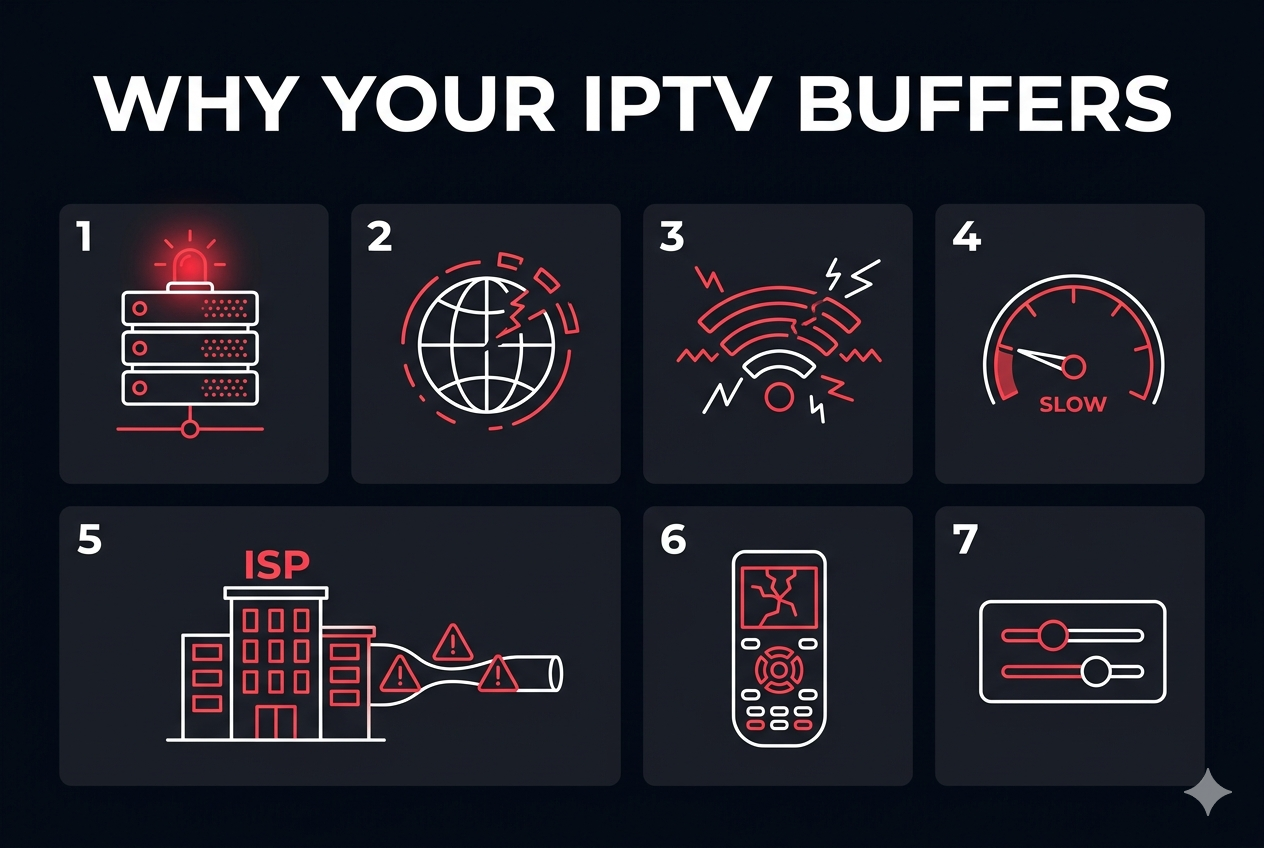
The 7 Real Culprits Behind IPTV Buffering in Canada
Let’s be specific. Here are the actual causes — not the generic “check your internet” brush-offs you find everywhere else.
Buffering Cause Severity Breakdown
Not all buffering causes are equal. Here’s a ranked comparison to help you prioritise where to spend your troubleshooting energy first.
| Cause | Impact Level | Affects | Your Control? | Fix Difficulty |
|---|---|---|---|---|
| Bad IPTV Provider | 🔴 Critical | All streams | 100% | Easy — switch providers |
| ISP Throttling | 🔴 High | Evenings & weekends | Partial | Medium — use a VPN |
| Slow Internet Speed | 🔴 High | 4K / HD streams | Yes | Easy — upgrade plan |
| Wi-Fi Interference | 🟡 Medium | Wireless devices | Yes | Easy — use ethernet |
| Underpowered Device | 🟡 Medium | 4K streams only | Yes | Medium — upgrade device |
| Player Buffer Settings | 🟢 Low–Med | Occasional drops | Yes | Easy — adjust settings |
| DNS Configuration | 🟢 Low | Channel loading | Yes | Easy — change DNS |
What Internet Speed Do You Actually Need for IPTV Canada?
Speed requirements depend entirely on the quality level you stream. Here are the real-world numbers — not the marketing minimums:
If your household has multiple people streaming simultaneously, multiply accordingly. For a family of four all watching different 1080p channels at once, you’d need at least 60 Mbps of reliable bandwidth dedicated to IPTV — before accounting for gaming, video calls, or other internet use.
The Complete Fix: 8 Steps to Stop IPTV Buffering for Good
Work through these in order. Most users are buffer-free before step five.
-
Switch to a Reliable IPTV Provider
This is step one because it’s the highest-impact change you can make. No amount of router tweaking compensates for a provider running 40,000 users on three servers. MAXIPTV is built on enterprise-grade, anti-buffering infrastructure with redundant Canadian nodes — designed specifically to stay stable when demand spikes.
-
Ditch Wi-Fi — Plug In Ethernet
This is the single easiest, highest-impact home-network fix. A wired connection eliminates interference, packet loss, and latency spikes entirely. Even a Cat 5e cable to your Firestick via an ethernet adapter makes a dramatic difference.
-
Restart Everything (The Right Way)
Power cycle your modem first, wait 30 seconds, then your router, then your streaming device. This flushes DNS caches, refreshes IP leases, and clears memory on all devices. A simple unplugging — in the right order — eliminates a surprising number of buffering sessions.
-
Increase Your Player’s Buffer Size
Inside TiviMate, IPTV Smarters, or GSE Smart IPTV, locate your player settings and increase the buffer size from the default (usually 2–5 seconds) to at least 10–15 seconds. This gives the app a reservoir of pre-loaded video to draw from during brief network fluctuations — eliminating those annoying 1–2 second freezes entirely.
-
Switch to a Faster DNS Server
Your ISP’s default DNS is often slow and geographically far from your actual location. Change your device’s DNS to Google (8.8.8.8 / 8.8.4.4) or Cloudflare (1.1.1.1). This reduces the time it takes to resolve channel URLs and can shorten initial load times noticeably.
-
Use a VPN to Beat ISP Throttling
If your speed tests show fast daytime speeds but slow evenings, your ISP is throttling streaming traffic. A reputable VPN (Mullvad, ProtonVPN, ExpressVPN) encrypts your data so your ISP can’t identify it as video streaming — and can’t throttle it. Connect to a Canadian server for best results.
-
Enable Hardware Acceleration on Your Player
In your IPTV player settings, ensure hardware decoding (HW+, HW) is enabled rather than software decoding. This offloads video decoding from your device’s CPU to the dedicated GPU/VPU chip, dramatically reducing buffering caused by underpowered processors — especially on 4K content.
-
Upgrade Your Streaming Device
If you’re on a Firestick 4K Max (2022+), Nvidia Shield, or Apple TV 4K, you’re fine. If you’re on anything older or cheaper, your device is the bottleneck. A one-time investment in a capable streaming stick eliminates an entire category of buffering permanently.
How to Set Up MAXIPTV — The Right Way for Zero Buffering
MAXIPTV doesn’t have a proprietary app — and that’s actually a good thing. Instead of being locked into one interface, you receive your personal M3U URL and Xtream Codes credentials and can use any high-quality IPTV player that matches your device perfectly. Here’s the complete process:
Step 1: Subscribe and Get Your Credentials
Visit the MAXIPTV pricing page and choose your plan (starting at $12.99/month). After subscribing, you’ll receive your M3U playlist URL and Xtream Codes login details via email — usually within minutes.
Step 2: Install a Quality IPTV Player
Choose the player that best suits your device:
Step 3: Add Your MAXIPTV Subscription
Open your chosen player, go to Add Playlist or Add Source, and paste your M3U URL directly — or use the Xtream Codes option and enter your server URL, username, and password. The player will load all 15,000+ channels automatically.
Step 4: Bookmark Your Favourites
Once your channels load, use the player’s Favourites function to pin your most-watched channels — sports, news, Canadian locals — to a dedicated tab. This eliminates the need to scroll through thousands of channels each time you sit down to watch.
Step 5: Optimise for Buffer-Free Streaming
In your player’s settings: set buffer size to 10–15 seconds, enable hardware decoding, and use H.265/HEVC if your device supports it (it uses significantly less bandwidth for the same quality). Full device-specific instructions are in the MAXIPTV Setup Guide.
Why MAXIPTV Outperforms Budget IPTV Providers in Canada
Not all IPTV Canada services are created equal. Here’s how the infrastructure behind the stream actually differs:
What You Get With the Best IPTV Canada Has to Offer
- 15,000+ live channels — Canadian, US, UK, international sports & news
- 50,000+ VOD movies and TV series, updated weekly
- True 4K UHD quality with anti-buffering technology baked in
- M3U URL + Xtream Codes credentials — works with any IPTV player
- Compatible with Smart TVs, Firestick, Roku (code: MAXIPTV4ROKU), phones, tablets, and computers
- Multiple simultaneous connections — your whole household, one subscription
- Redundant Canadian CDN nodes for low-latency local delivery
- 24/7 customer support — real humans, fast responses
- Legal IPTV service — learn about IPTV legality in Canada
- Plans starting at $12.99/month — no long-term contracts
Frequently Asked Questions About IPTV Buffering
Has to Offer