
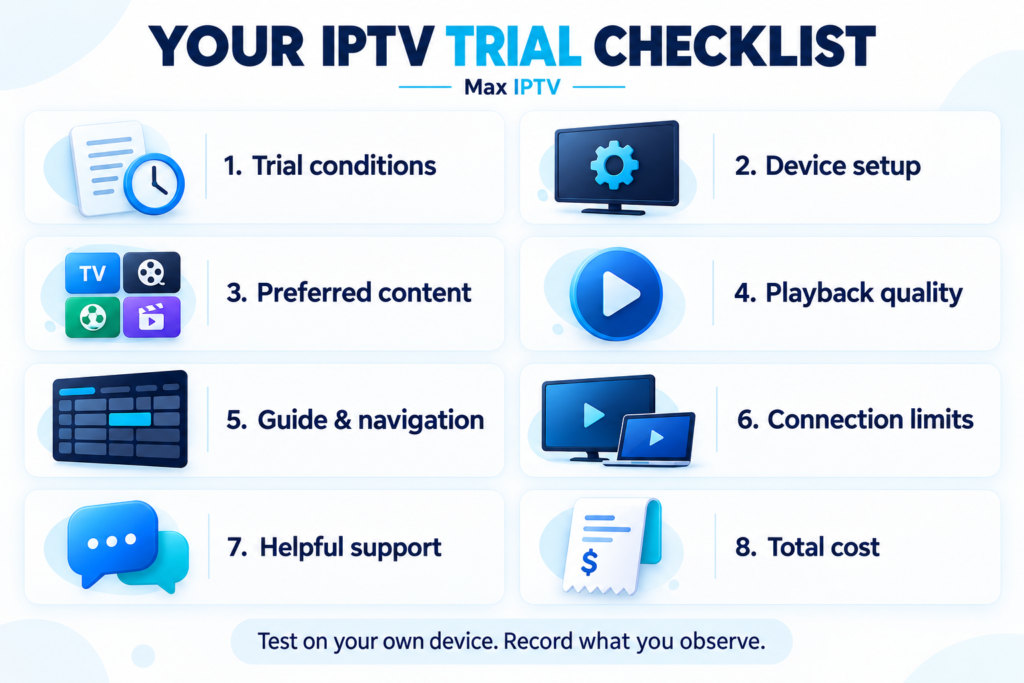
An IPTV trial is most useful when you treat it as a test of your everyday viewing. A stream that plays for a few seconds on your phone does not tell you how the service will work on your television during a normal evening.
If you want to know how to test IPTV before buying, start with the things your household actually needs: your preferred programmes, your main device, reliable playback, and clear subscription terms.
This guide gives you a practical way to evaluate those details. Keep a few notes as you go, and use your results to decide whether a subscription suits you.
1. Confirm the Trial Conditions Before Starting
Before requesting access, establish what you can test and when the trial expires. This prevents you from spending most of the available time waiting for credentials or figuring out installation.
Check these points:
- Duration: How long does access last?
- Start time: Does the clock begin when credentials are issued, activated, or first used?
- Delivery: When should you expect the access email?
- Connections: How many streams can you use simultaneously?
- Content: Does the trial include the features you want to evaluate?
- Costs: Does your chosen player application require a separate payment?
- Expiry: Does access simply stop, or are there further cancellation steps?
Keep a copy of the stated terms. A trial demonstrates how a service performs during your test; it does not independently establish content-distribution rights or future reliability.
If you are considering Max IPTV, review the service information and confirm any unclear conditions before requesting access.
2. Set Up the Device You Actually Plan to Use
Test on your main viewing device whenever possible. If you usually watch television in the living room, a successful test on a laptop beside the router is only part of the picture.
Follow the Max IPTV setup guide for your device, and check that the recommended application supports your model.
Check the Application and Login Method
Before entering your details, confirm which login method the application expects. Follow the supplied instructions carefully, including the server address.
Also check whether the application has its own trial, licence, or activation fee. Paying for a player application and paying for an IPTV subscription may be separate transactions.
Keep your credentials private. If you need help, describe the error or share a screenshot with sensitive information removed.
Use Your Normal Home Connection
Begin with the internet connection and device location you normally use. This gives you a realistic baseline.
If playback struggles, you can later compare another connection or device. Changing several things at once makes it harder to identify what caused the improvement.
3. Check the Channels and Content That Matter to You
A large advertised catalogue is less useful than knowing whether your household’s preferred content is available and works properly.
Make a short list of your must-have channels or programme categories before opening the app. Include different types of viewing, such as news, entertainment, children’s programming, or live sports.
For each selection, check:
- Does it open successfully?
- Is the language or regional version correct?
- Is the audio clear and in sync?
- Is the picture suitable for your screen?
- Can you find it again easily?
If on-demand content matters, test that separately. Check navigation, playback, subtitles, and audio options where available.
Availability can change. Record what you actually checked rather than assuming that every advertised item will always be accessible.
4. Evaluate Playback During Normal Viewing
Try the service when your household would ordinarily watch it, including an evening session if that is your usual routine.
Let selected streams run long enough to observe playback. Repeatedly switching channels after a few seconds can miss problems that appear during sustained viewing.
Record Problems Instead of Relying on Impressions
When something goes wrong, note:
- The time and affected content.
- The device and application.
- Whether you were using Wi-Fi or Ethernet.
- Whether other household devices were busy.
- Whether the issue affected one stream or several.
These details make comparisons more useful and give support something specific to investigate.
Investigate Before Blaming One Cause
An interruption can have several possible causes. Compare another stream, restart the application if appropriate, and check whether other services on the same device are also struggling.
Where practical, compare Wi-Fi with a wired connection while keeping the other conditions similar.
Use the IPTV buffering troubleshooting guide to work through the problem systematically. One interruption does not establish a pattern, while one successful session does not guarantee uninterrupted future viewing.
5. Test Programme Listings and Everyday Navigation
Picture quality matters, but so does finding something to watch.
Open the electronic programme guide, often called the EPG. Check whether listings are present for your preferred channels and whether their times match your local time zone.
Then try the tasks you will repeat regularly:
- Search for a channel or programme.
- Save favourites.
- Move between live TV and on-demand content.
- Return to a recently watched item.
- Change subtitles or audio where supported.
If catch-up or recording matters to you, verify its availability and limitations separately. Do not assume every channel, application, or subscription supports the same features.
6. Check Your Household’s Connection Needs
Device compatibility and simultaneous viewing are different questions. A service might work on several device types while your chosen plan allows fewer streams at the same time.
List how many people are likely to watch independently. Then confirm that the plan supports that pattern.
For more context, read the guide to IPTV on multiple devices.
Only test simultaneous streams within your trial’s permitted allowance. If the trial has a lower limit than the plan you are considering, ask how the paid option differs.
7. Ask Support a Useful Question
Support is part of the experience, especially during installation.
Ask a genuine question about your device, an unclear condition, or a problem you observed. Assess whether the answer is understandable, addresses your situation, and gives you a workable next step.
Record when you contacted support and whether that was within its stated availability. A single interaction offers useful evidence, but it cannot establish a long-term response-time average.
8. Review the Full Cost Before Subscribing
Once you have tested the service, compare the total amount payable with your household’s needs.
Review the subscription duration, connection allowance, renewal method, applicable taxes, and refund conditions. Include any separate application or hardware costs.
When comparing longer subscriptions, distinguish the monthly equivalent from the amount charged upfront. A lower monthly equivalent can still require a larger initial payment.
Use the current Max IPTV pricing page to check the available options rather than relying on prices quoted in older articles.
Your IPTV Trial Checklist
| Area | What to verify | Your result |
|---|---|---|
| Conditions | Duration, activation, expiry, and costs are clear | Pass / Issue / Not tested |
| Setup | Your main device connects successfully | Pass / Issue / Not tested |
| Content | Your priority channels and categories work | Pass / Issue / Not tested |
| Playback | Quality is acceptable during normal viewing | Pass / Issue / Not tested |
| Navigation | Search, favourites, and listings are usable | Pass / Issue / Not tested |
| Connections | The plan fits simultaneous viewing needs | Pass / Issue / Not tested |
| Support | You receive useful assistance | Pass / Issue / Not tested |
| Price | Total cost and renewal terms are understood | Pass / Issue / Not tested |
Conclusion: Choose Based on What You Can Verify
A useful IPTV test should answer a straightforward question: does this service work well enough for your household, on your devices, under conditions you understand?
Resolve important problems before committing to a longer subscription. Keep untested features marked as unknown, and base your decision on observed results rather than catalogue size alone.
Start with the device setup guide, complete the checklist, and then compare Max IPTV plans if the service meets your needs.