Install IPTV Canada
on Kodi in 5 Minutes
The complete guide to streaming 20,000+ Canadian channels through Kodi with Max IPTV — works on every device.
🎁 Start Free Trial — No Credit CardHow to Install IPTV Canada on Kodi — Complete 2025 Guide
Kodi is one of the most powerful free media players in the world — and when you combine it with a Max IPTV Canada subscription, you get access to 20,000+ live channels, movies, and sports right inside Kodi’s beautiful interface. Don’t have a subscription yet? Grab your free trial here — then follow every step below.
What You Need Before You Start
Before installing IPTV Canada on Kodi, make sure you have everything ready. The setup takes less than 5 minutes once these four things are in place:
No problem — start your free trial here. Your username, password, and M3U URL will be sent to you instantly by email. Then come back and follow the steps below.
Step-by-Step: Install IPTV Canada on Kodi
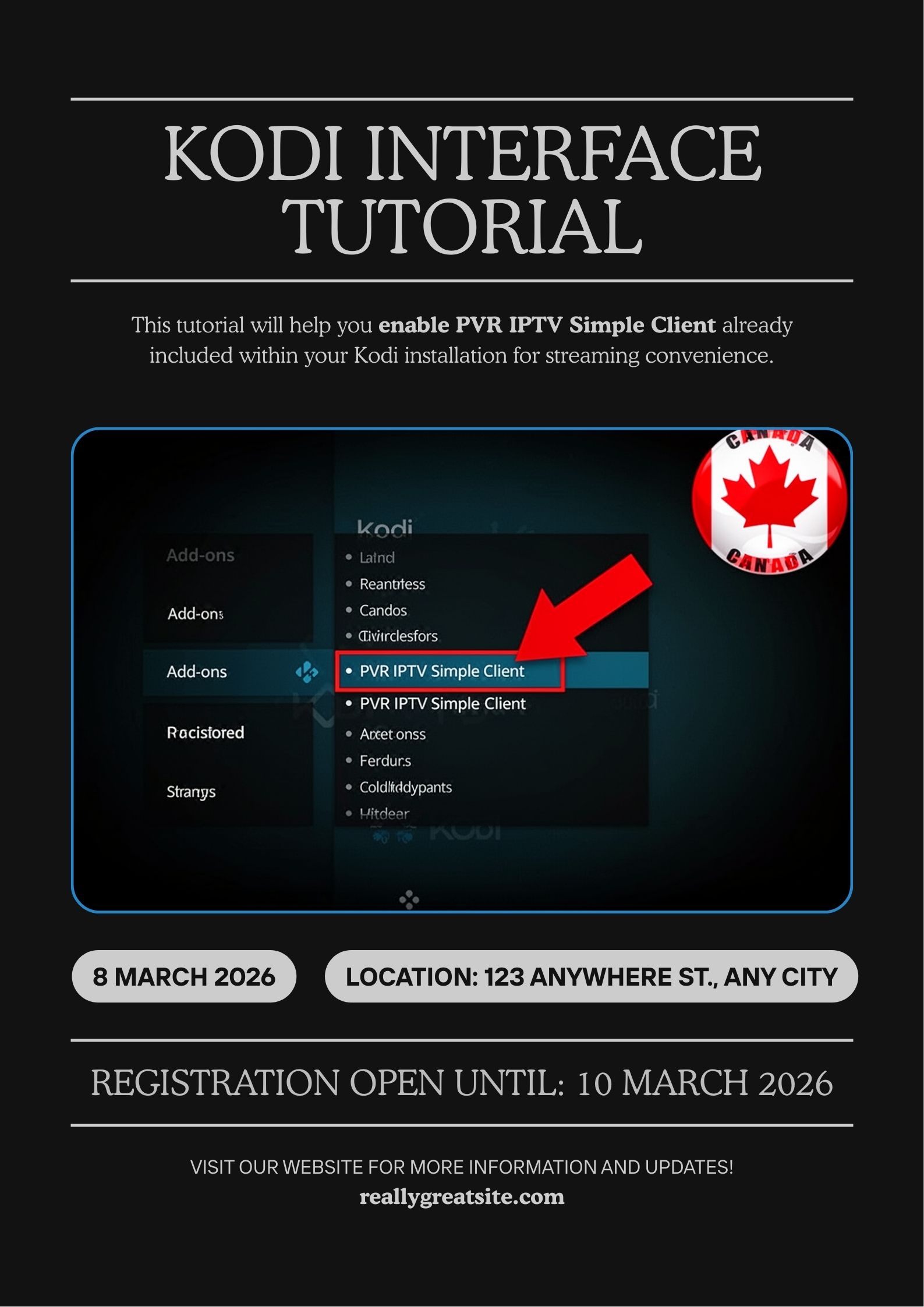
The best way to use IPTV Canada on Kodi is through the built-in PVR IPTV Simple Client add-on. This is officially included with Kodi — no third-party repositories needed, no risk, no fuss.
Get Your Max IPTV Free Trial
Before anything else, you need a Max IPTV subscription to get your login credentials. Click here to start your free trial — it takes 2 minutes and no credit card is required. Your username, password, and M3U URL will arrive in your inbox immediately.
Open Kodi and Go to Add-ons
Launch Kodi on your device. From the home screen, click on Add-ons in the left sidebar menu.
Open the Add-on Browser
Click the open box icon (package icon) at the top-left of the Add-ons screen to open the Add-on browser.
Select “Install from Repository”
Choose Install from repository → Kodi Add-on repository → PVR clients.
Install PVR IPTV Simple Client
Scroll down and find PVR IPTV Simple Client. Click on it, then click Install. Wait for the confirmation notification at the top-right of your screen.
Configure with Your Max IPTV Credentials
After installation, click Configure. Under the General tab, set the Location to Remote path (Internet address) and enter your Max IPTV M3U URL using your personal username and password.
Username : your_username
Password : your_password
Your username and password are sent instantly after you start your free trial.
Add Your EPG TV Guide
Still inside the Configure menu, go to the EPG Settings tab. Enter your Max IPTV EPG URL using the same username and password from your account to get the full TV guide for all Canadian channels.
Username : your_username
Password : your_password
Click OK and Restart Kodi
Click OK to save. Kodi will ask you to restart — do so. After restarting, all your IPTV Canada channels will appear under TV → Channels. You’re live! 🎉
Once Kodi restarts, navigate to TV from the home screen. All 20,000+ Max IPTV channels — including all Canadian networks, sports, and international content — will be loaded and ready to watch.
Not subscribed yet? Start your free trial now and be streaming in minutes.
Installing Kodi + IPTV Canada by Device
The steps above work on all platforms. Here are quick device-specific tips for the most popular ways Canadians use Kodi with Max IPTV:
Amazon Firestick is the most popular device for IPTV Canada Kodi users. To install Kodi on Firestick, first enable Apps from Unknown Sources in Settings → My Fire TV → Developer Options. Then use the Downloader app to download Kodi from kodi.tv. Once Kodi is installed, follow the 8 steps above exactly. Don’t have Max IPTV yet? Start your free trial first.
💡 Tip: Use a Firestick 4K or 4K Max for the best 4K streaming experience with Max IPTV.
Android TV boxes (Nvidia Shield, Xiaomi Mi Box, etc.) are excellent for IPTV Canada on Kodi. Install Kodi directly from the Google Play Store — no sideloading required. Then follow the guide above to add your Max IPTV M3U playlist. Get your free trial credentials here.
💡 Tip: Android TV boxes with at least 2GB RAM give you the smoothest Kodi experience.
Download Kodi from kodi.tv/download and install it like any normal Windows or macOS application. The PVR IPTV Simple Client setup is identical to the guide above. Kodi on PC is great for testing your Max IPTV channels before setting up on your main TV. Grab your free trial to get started.
💡 Tip: Use Kodi’s fullscreen mode (F on Windows, Cmd+F on Mac) for the best viewing experience.
Samsung and LG Smart TVs require a slight workaround — Kodi is not available in their official app stores. The easiest option for Smart TV users is to use Max IPTV’s dedicated Smart TV app, which connects directly without needing Kodi at all. Start your free trial and contact our support team for the Smart TV setup guide.
💡 Tip: For Samsung Tizen or LG WebOS TVs, Max IPTV’s native app gives a better experience than Kodi.
Common Issues & Quick Fixes
If your IPTV Canada Kodi setup isn’t working perfectly, here are the most common problems and how to fix them in seconds:
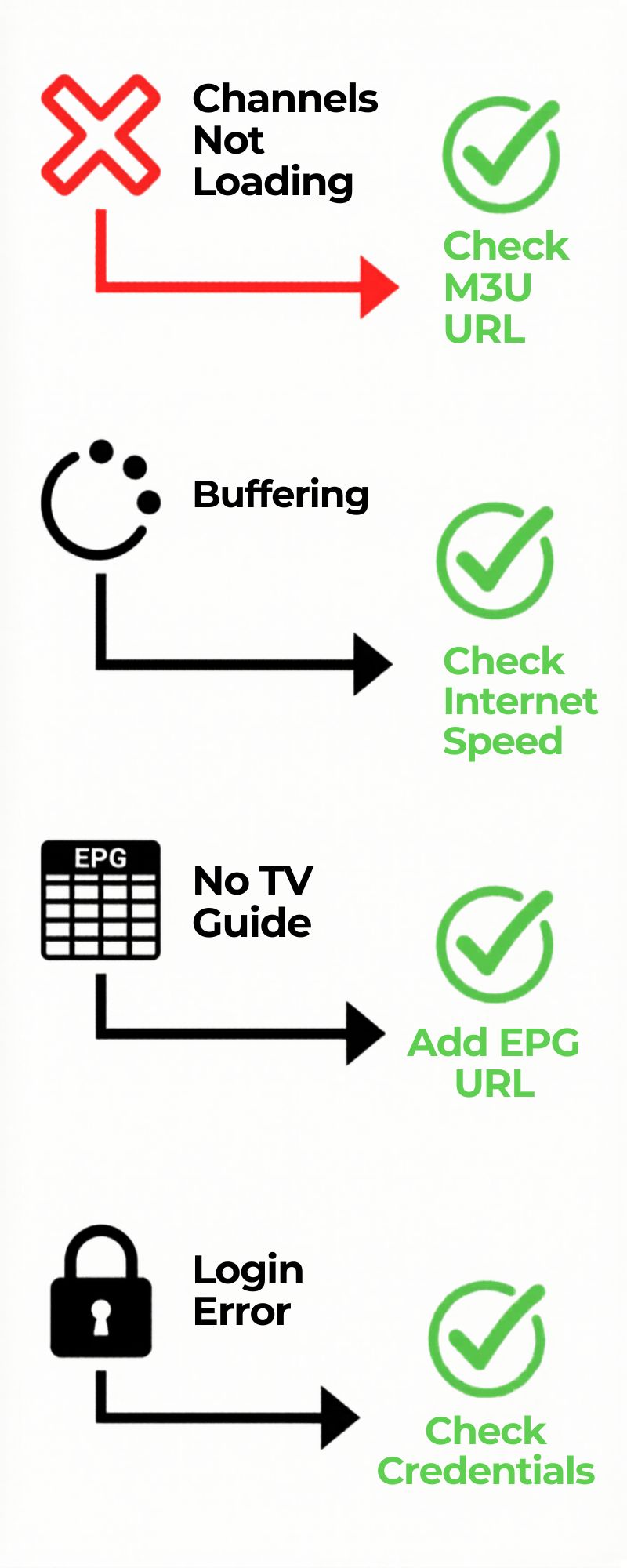
- Channels not loading: Double-check your M3U URL is pasted correctly with no extra spaces. Copy it directly from your Max IPTV welcome email.
- Buffering or freezing: Run a speed test — you need at least 10 Mbps for HD. If on Wi-Fi, try moving closer to your router or switching to ethernet.
- No EPG / TV Guide showing: Make sure you’ve added the EPG URL in the EPG Settings tab and waited 5–10 minutes for Kodi to download the guide data.
- Login error / stream not authorised: Confirm your username and password match exactly what’s in your Max IPTV account dashboard.
- Add-on not saving settings: Try running Kodi as administrator (Windows) or reinstalling the PVR IPTV Simple Client add-on.
- Kodi crashing on channel load: Update Kodi to the latest version. Older versions can struggle with large M3U playlists of 10,000+ channels.
- Don’t have credentials yet: Start your free trial here — your login details arrive by email in minutes.
Our 24/7 Canadian support team is ready to help. Contact us via live chat at maxiptv.ca and we’ll walk you through the Kodi setup in real time — usually resolved in under 10 minutes.
Why Use Max IPTV with Kodi in Canada?
Kodi is a powerful open-source media player, but it needs a great IPTV provider to shine. Here’s why Max IPTV Canada is the perfect partner — and why you should try it free today:
- 20,000+ channels including CBC, CTV, TSN, Sportsnet, RDS and all Canadian local networks
- Full EPG TV Guide support — see what’s on and schedule recordings inside Kodi
- 4K & HD streams compatible with Kodi’s advanced video player
- Reliable 99.9% uptime — no stream drops during live sports
- Works perfectly with Kodi’s PVR recording feature — record live TV to your hard drive
- Optimised M3U playlist that loads fast even with 20,000+ channels
- Dedicated Canadian sports package — NHL, NBA, MLB, NFL, UFC all covered
- Starting from just $12.99/month — and you can test it free before paying
Frequently Asked Questions
Is Kodi IPTV legal in Canada?
Which version of Kodi works best for IPTV Canada?
Can I use Max IPTV on multiple Kodi devices?
How do I get my Max IPTV M3U login credentials?
Does Max IPTV work with Kodi on Amazon Firestick?
Can I record live TV with IPTV Canada on Kodi?
Ready to Stream IPTV Canada on Kodi?
Get your Max IPTV credentials in 2 minutes and follow this guide to be live today.
No credit card. No commitment. Cancel anytime.
Instant email delivery · Works on Kodi, Firestick, Smart TV & more